Skip to content

Task and quality inspection platform

Every task checked.Every site under control.

Assign checklists to your teams, verify every job with photos, GPS and identity checks, and follow live reports from one dashboard.

Book a demo
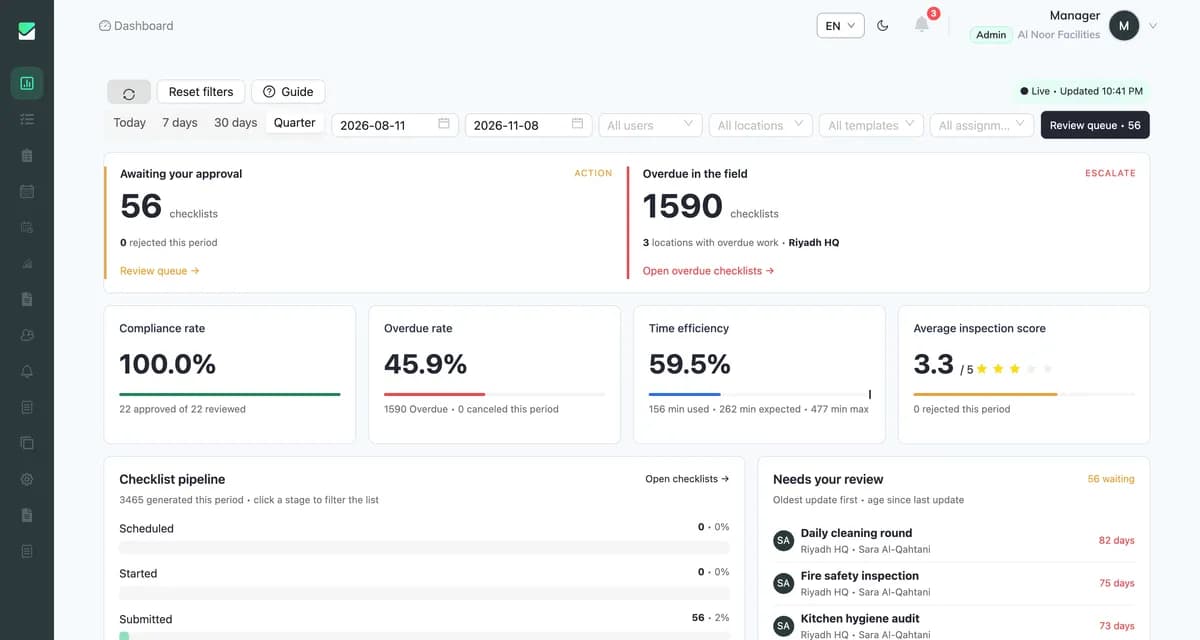
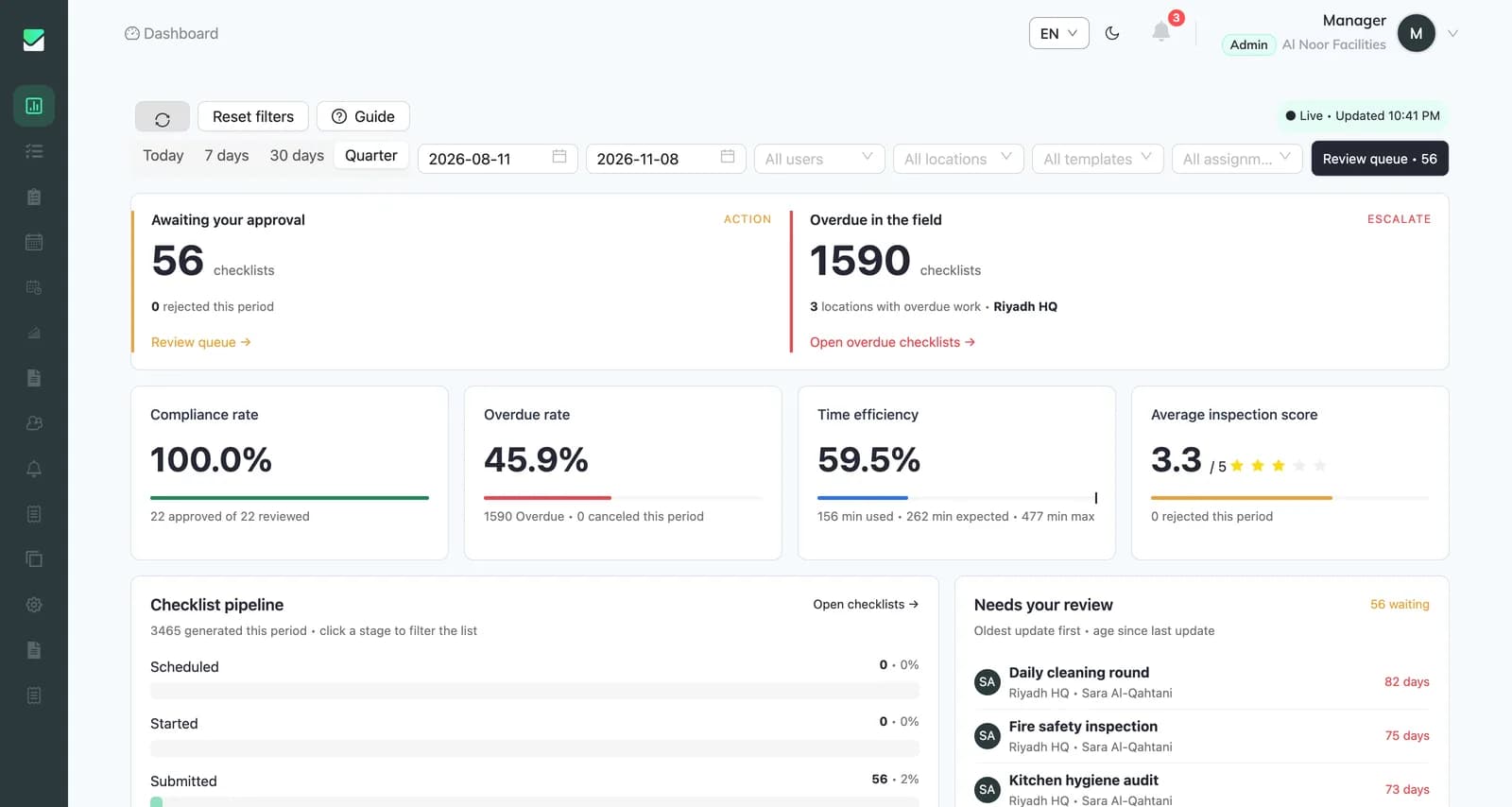
CheckApp web dashboard showing checklists awaiting approval, overdue work, compliance rate and inspection scores
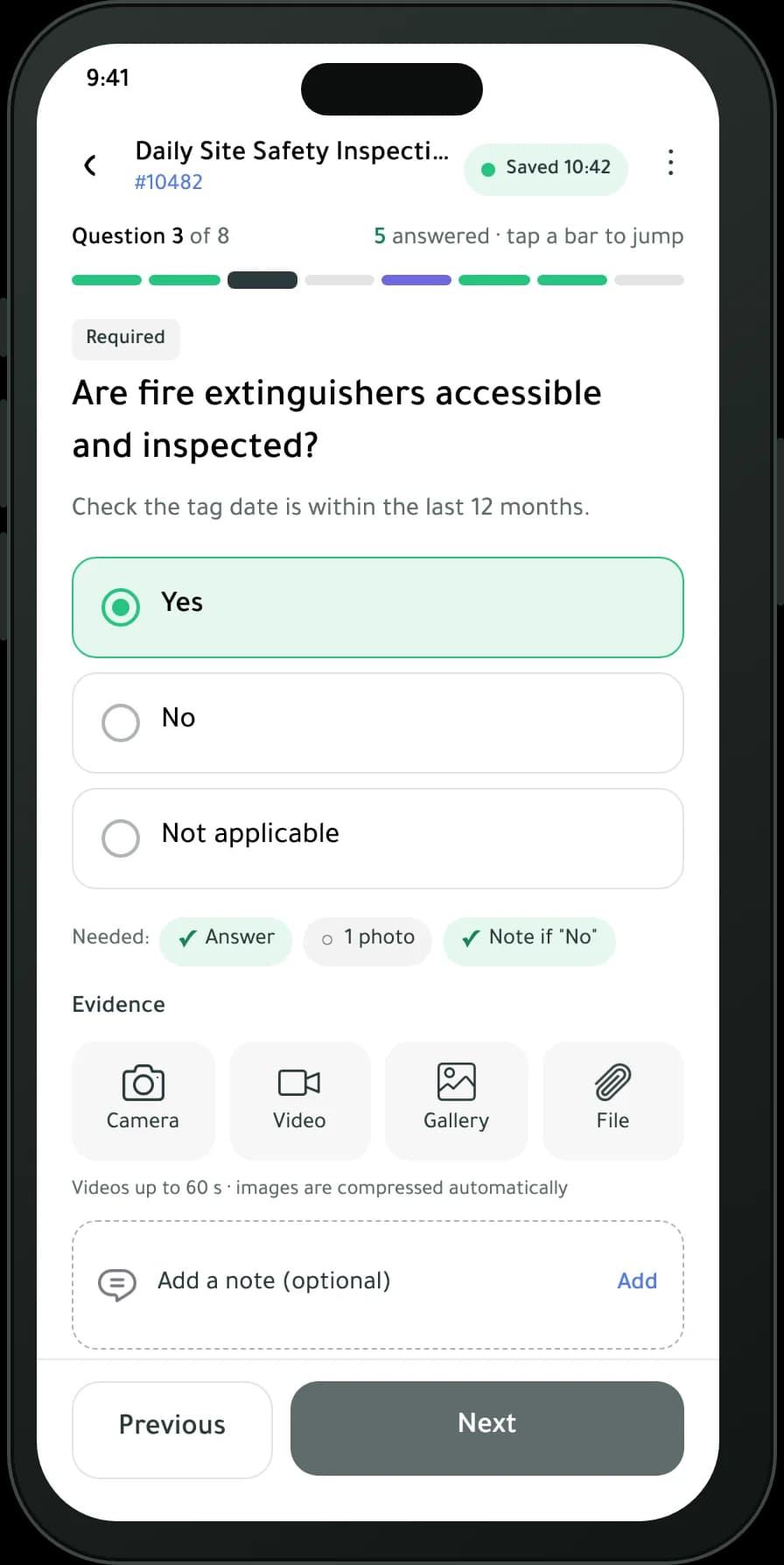
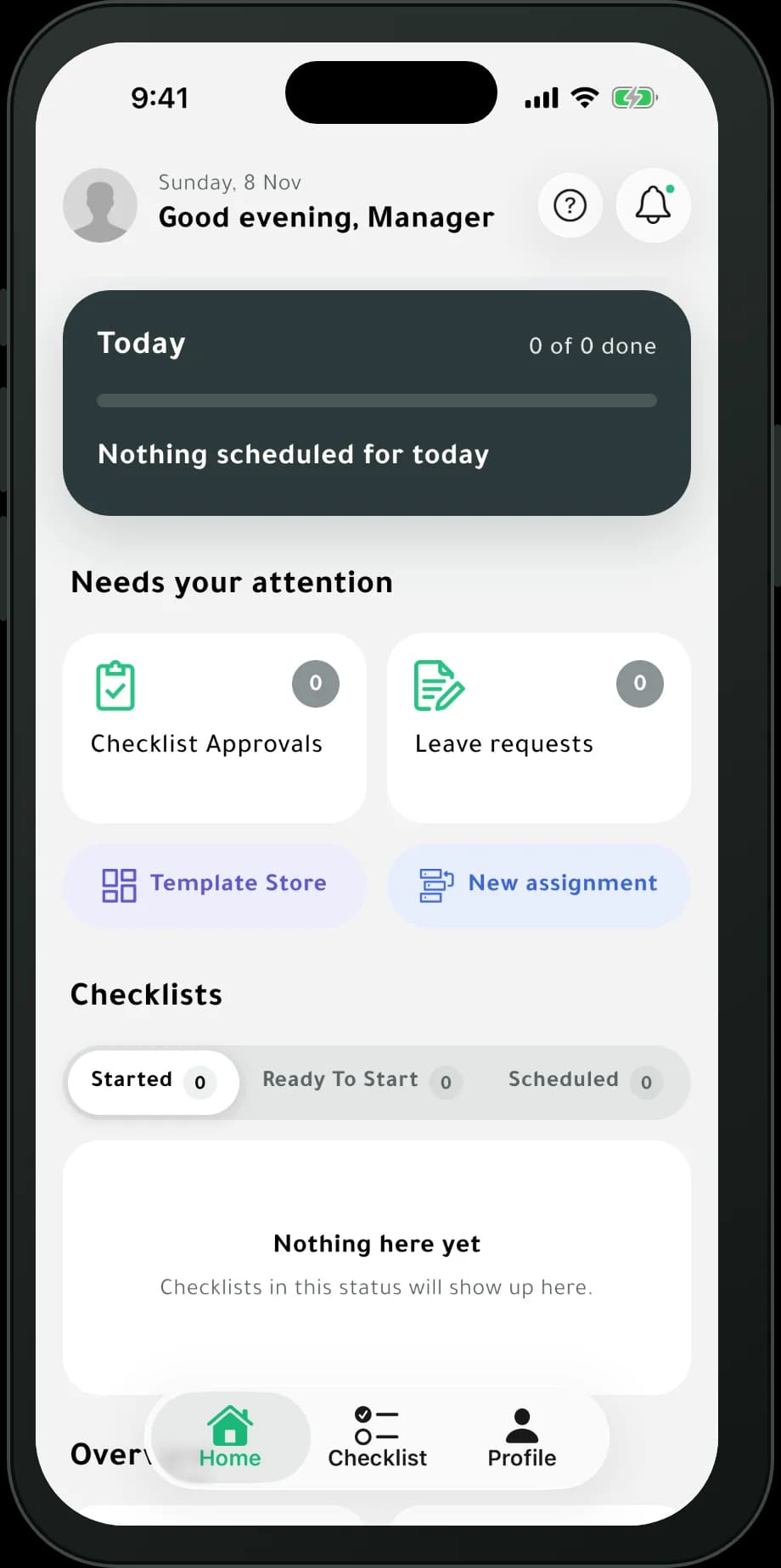
CheckApp mobile app home screen with today's progress, items that need attention and checklists by status

About CheckApp

What is CheckApp?

CheckApp helps heads, supervisors and managers run daily tasks, control quality, supervise their workforce and stay in touch with it, through one set of connected systems that takes less time, effort and cost than before.

  • Manage daily tasks
  • Control quality
  • Supervise the workforce
  • Stay in touch with your team

CheckApp saves time, costs and effort

  • Smooth communication with your team

  • Follow work and tasks as they progress, in real time

  • Easy access to your team's results and achievements

  • Review results and outputs as figures and charts

How it works

From checklist to report in three steps

  1. 1

    Create a checklist

    Build your own checklist or start from a ready-made one in the Template Store.

  2. 2

    Assign your team

    Send tasks to the right employee, team or location in a few clicks.

  3. 3

    Verify and report

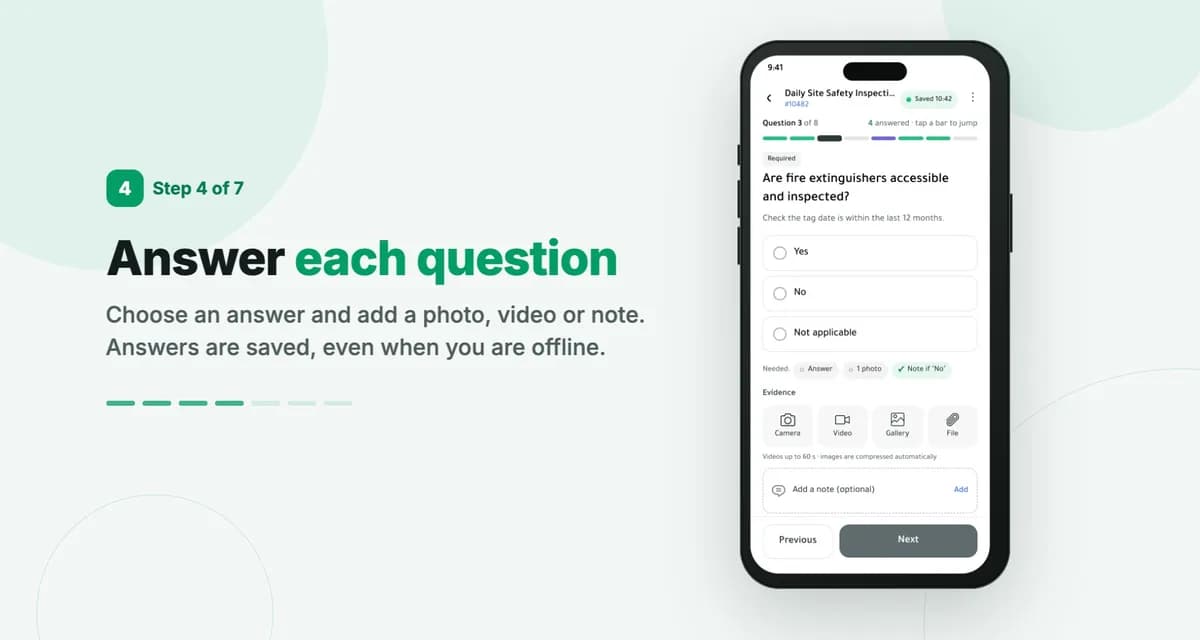
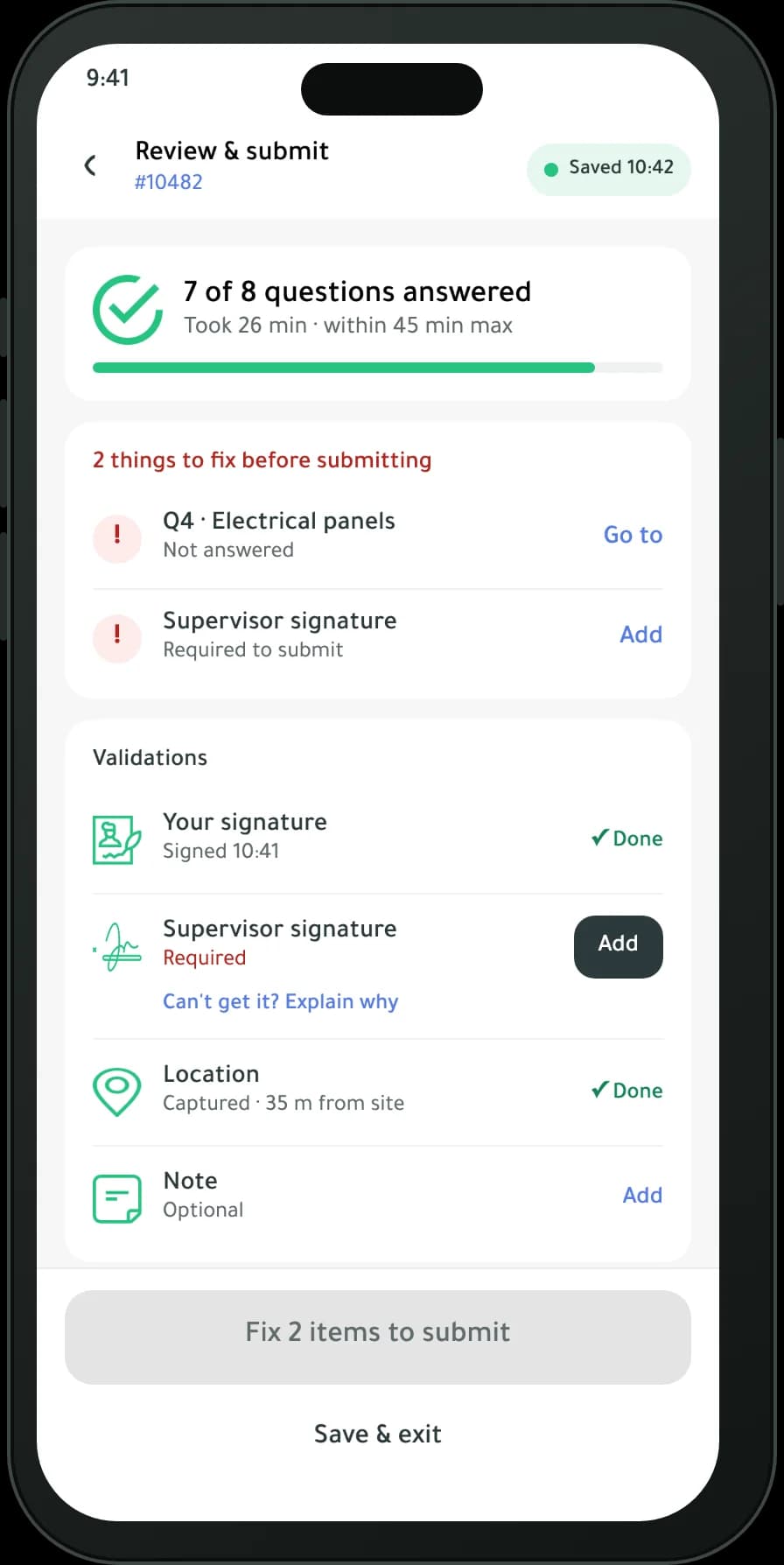
    Your team completes tasks in the app with photos, GPS and identity checks, and you see the results live.

Features

Everything you need to run quality checks

Twelve tools in one app, grouped around how your team works.

Verify

Know the work was done, where and by whom.

  • Work, identity and location checks

    Confirm the quality of the work, who did it and where they were.

  • Photo and media evidence

    Attach photos, videos and files to any task.

  • Private and secure

    Strict privacy and security controls protect your data.
Report

Turn every check into numbers you can act on.

  • Daily completion reports

    Completion rates by employee, team, project or location.

  • Analytics and charts

    Detailed reports with numbers and charts.

  • Employee performance

    Track and measure each employee's performance.

Communicate

Keep office and field teams in step.

  • Live notifications

    New tasks and updates reach everyone the moment they happen.

  • Multiple languages

    Work in Arabic, English and other languages.

  • Offline mode with sync

    Keep working without a connection; data syncs when you are back online.

Scale

Grow from one site to hundreds.

  • Android, iOS and web

    Mobile apps for the field and a web dashboard for managers.

  • Available 24/7

    Reach your data any time, day or night.

  • Workflows that fit your organization

    Tasks follow your sequence of operations and your org structure automatically.

Product tour

See CheckApp in action

A web dashboard for managers and a mobile app for the field.

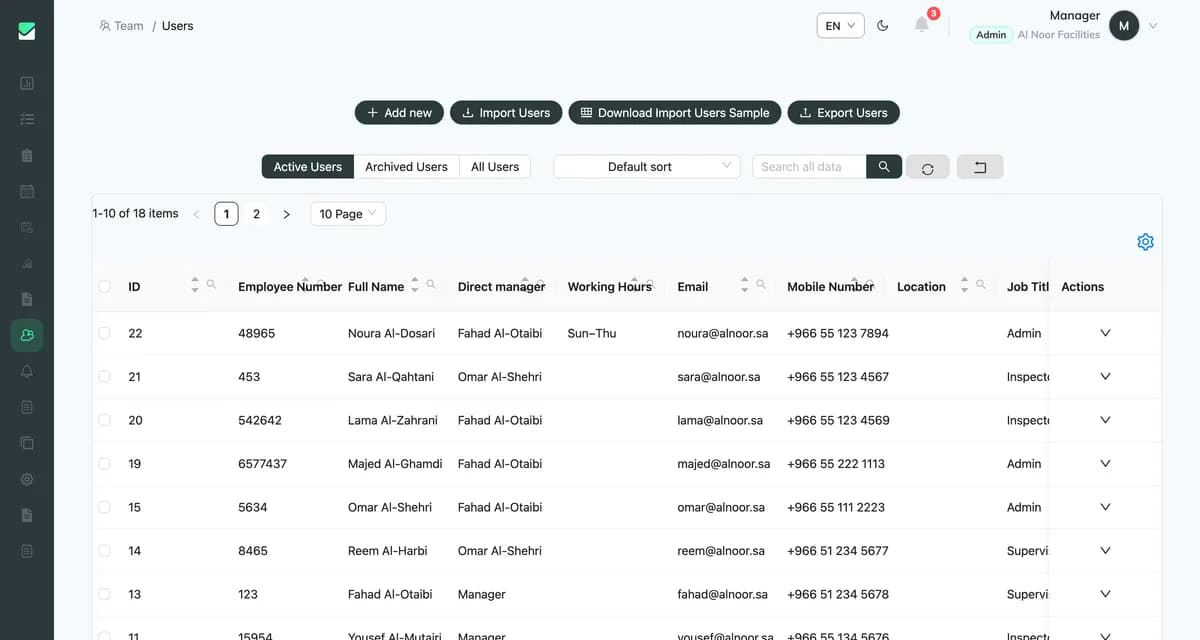
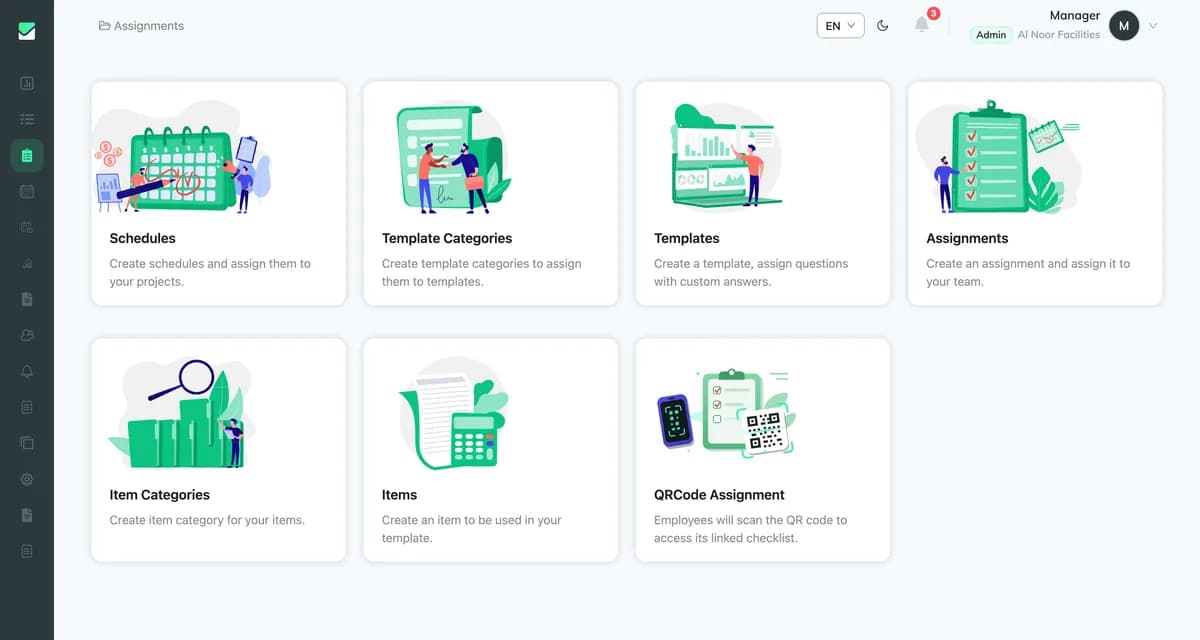
Follow completion across employees, teams and sites from the dashboard.

Learning Hub

Learn CheckApp in minutes

Short videos that walk you through the essentials.

  • 1:15

    Overview

    A quick tour of what CheckApp does and how teams use it.

  • 0:56

    Create a new user

    Add a new user to your CheckApp account.

  • 1:24

    Assign tasks

    Create a task and assign it to your team.

  • 1:13

    Use the mobile checklist

    Complete a checklist step by step in the mobile app.

Pricing

Plans for teams of every size

Start with a free trial, then pick the plan that fits your team.

Billing period

Loading plans…

FAQ

Frequently asked questions

What is CheckApp?

CheckApp is a task, checklist and quality-inspection app. Supervisors and managers assign work, field staff complete it in the mobile app, and everyone follows live reports in the web dashboard.

Which devices does CheckApp work on?

Field teams use the Android and iOS apps. Managers use the web dashboard in any modern browser.

Is CheckApp available in Arabic?

Yes. CheckApp supports Arabic and English, and other languages.

How does CheckApp verify that work was done?

Tasks can require photos and other attachments, and CheckApp checks the employee's identity and location when they submit.

Is my data secure?

Yes. CheckApp follows documented security policies and runs on Amazon Web Services. Our Security page has the details. Read about security

How do I get started?

Book a demo and our team will help you set up your account, or download the app and log in to the dashboard.

Contact

Talk to our team

Book a demo or ask us anything, and our team will get back to you.

Ready to get every task checked?

See how CheckApp fits your team in a short demo.